Choose Your Workflow
About 1 minBeginner Course
Choose how to build your model and animation
You do not need to learn both applications. Complete one route, then continue to shared content-pack configuration.
01 · BLENDERArmature and skinningDetailed meshes and deforming arms, exported as GLB.02 · BLENDEREmpty rigid animationMove whole meshes through parent objects for mechanical parts.
Which route should I choose?
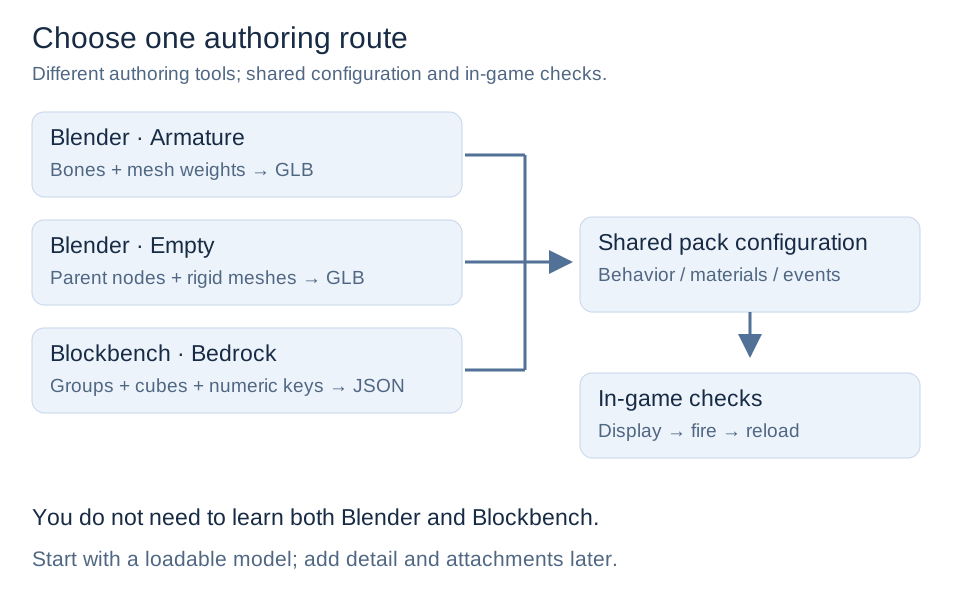
- Detailed weapons and bending fingers/arms: Blender skinning.
- Already using Blender and only need whole-part movement: Blender Empty.
Rigid animation moves, rotates, or scales an entire mesh without weight-based deformation. Empty animation does not replace skinned arms or guarantee better FPS.
New workflow requirements
Before using no-Skin Empty animation, check that the installed release supports rigid GLB animation.
Learning order
For arm creation, see the arm authoring templates and downloads.
- Choose one route above.
- Complete its software setup, modeling, hierarchy/anchors, UVs, animation, and export checks.
- Read Getting Started to prepare the game environment.
- Download the Empty Template.
- Follow Build Your First Firearm for shared behavior, events, materials, and testing.
- Complete Debugging and Release.
Formats and Support Scope is a reference, not another required software route.
See GLB and Empty Animation for version requirements and check the installed release notes.