Blender · Empty Route
Blender: Empty rigid animation
For rigid cube-style arms, download the arm source templates and read the runtime limitations first.
Use this for whole-part movement, rotation, and scale, not weight-deformed arms or cloth. Whole cube-style arm parts can be rigid authoring objects. Check that the installed release supports this format.
Software and project
Create a Blender project with a receiver and one moving part. Save it separately. No Armature is required.
Model and coordinates
Keep the muzzle along +X. Establish units and transforms before animation. Mesh origins, Empty origins, and parenting are different things; moving origins repeatedly does not repair incorrect parenting.
Checkpoint: Static assembly is correct, with no unintended armature dependency or skinning modifier.
Empty hierarchy and anchors
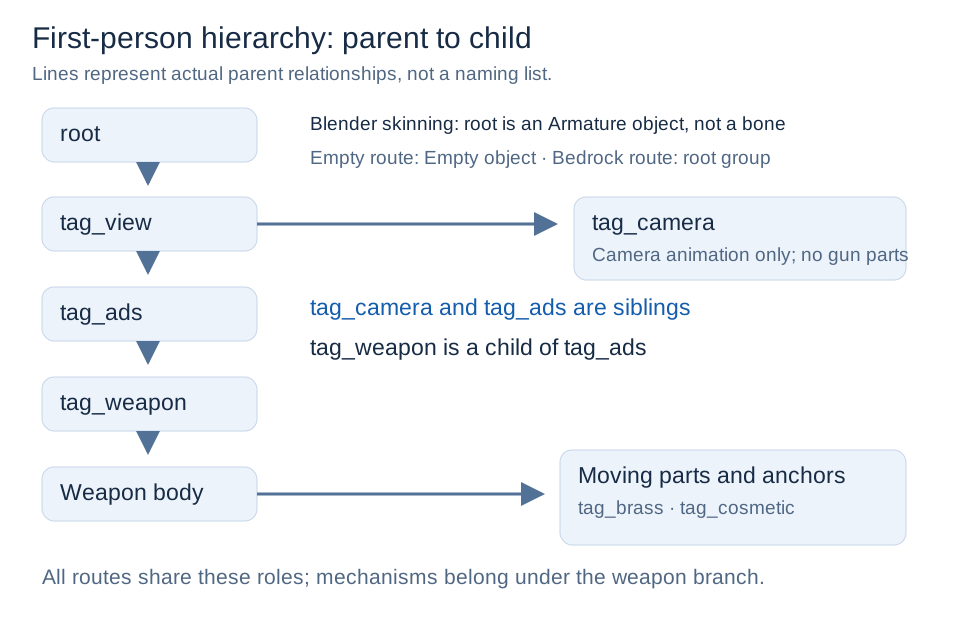
Create Empty objects and parent meshes to them. A complete first-person reference chain is:
root (Empty)
└─ tag_view (Empty)
   ├─ tag_camera (Empty)
   └─ tag_ads (Empty)
      └─ tag_weapon (Empty)
         └─ weapon_body (Empty)
            ├─ receiver (Mesh)
            └─ bolt (Empty)
               └─ bolt_mesh (Mesh)
The bolt Empty's origin defines its movement reference. Its mesh follows the Empty. See Model Rules for other anchor roles.
Check parent-inverse transforms when parenting. Do not also bake a parent's movement into the child mesh.
Checkpoint: Moving the Empty moves its children; resetting it restores the assembly.
UVs and materials
Author UVs on the Mesh, not the Empty. Use the same material configuration for base color, normal, and specular maps.
Rigid animation
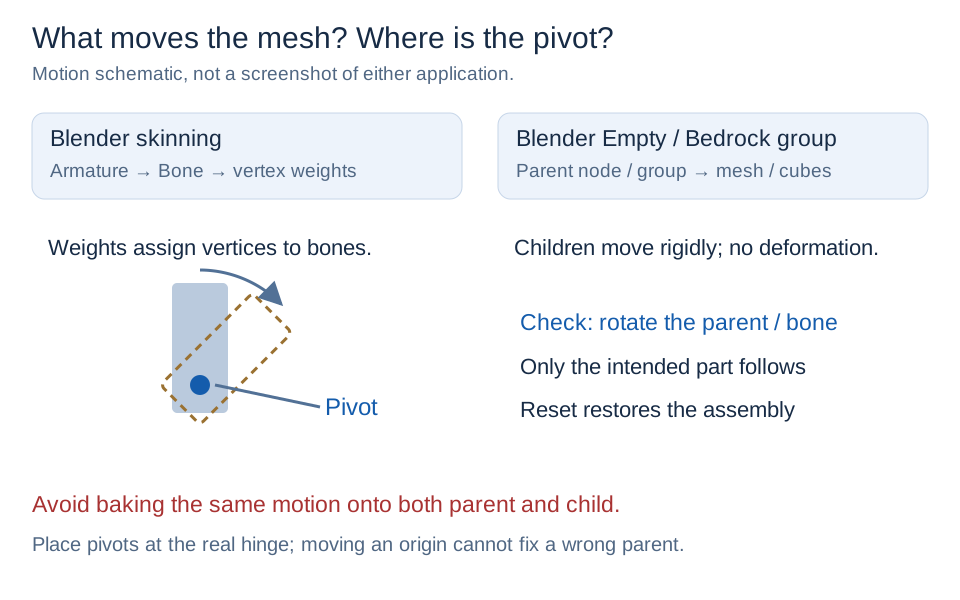
Keyframe location, rotation, or scale on the moving Empty. Mesh object animation also works, but organizing mechanism motion on Empty parents is easier to maintain.
- Use unique node names.
- Start with a simple movement before draw/fire/reload.
- Include only the relevant tracks; follow the state/channel responsibilities in Animation Rules.
- Bake constraints and drivers to ordinary transform keys.
Checkpoint: Parts remain rigid and do not move twice because of parent/child keys.
Export and verify
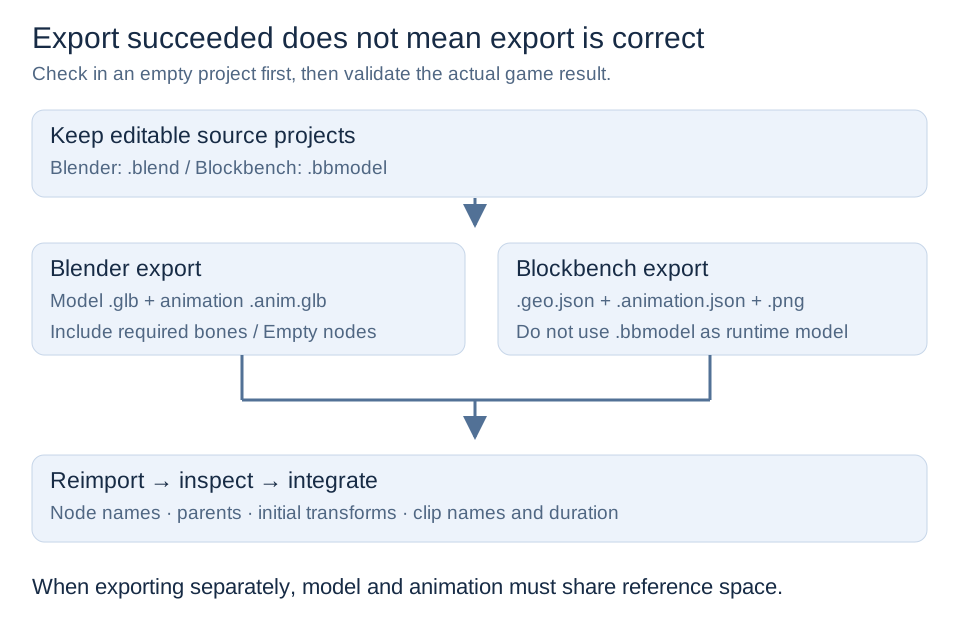
Include the complete Empty hierarchy and meshes in the GLB export, with animation enabled. Exporting only meshes loses their drivers.
Embed clips in the model GLB or use a separate animation library. Separate files must share node names, hierarchy, and initial transforms.
Reimport into an empty project and verify Empty nodes, clips, and mesh movement. This new route is for pure no-Skin rigid models, not expanded mixed-rig compatibility.
Checkpoint: Reimport reproduces the animation. Continue through format configuration, Getting Started, and shared configuration.
See GLB and Empty Animation for version requirements and check the installed release notes.